Compatible with Apple
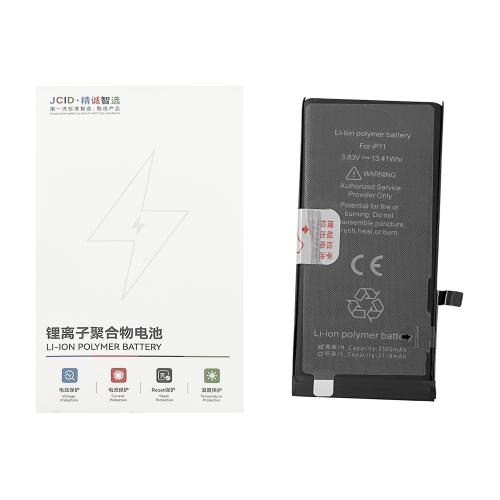
iPhone 11 A2111 A2223 A2221 (2019)
Installation
Install the battery and connect it to the motherboard. Connect the device to Wi-Fi, then go to Settings → General → Parts & Service History and tap “Reboot and Finish Repair”. Restart the device after setup. Battery Health will display 100%.
Compatible with Apple
iPhone 11 Pro A2160 A2215 A2217 (2019)
Installation
Install the battery and connect it to the motherboard. Connect the device to Wi-Fi, then go to Settings → General → Parts & Service History and tap “Reboot and Finish Repair”. Restart the device after setup. Battery Health will display 100%.
Compatible with Apple
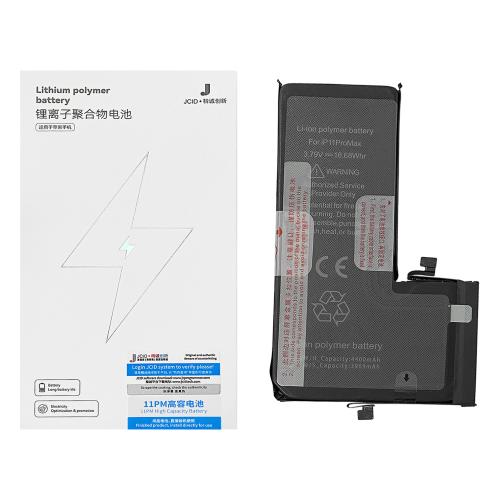
iPhone 11 Pro Max A2161 A2220 A2218 (2019)
Installation
Install the battery and connect it to the motherboard. Connect the device to Wi-Fi, then go to Settings → General → Parts & Service History and tap “Reboot and Finish Repair”. Restart the device after setup. Battery Health will display 100%.
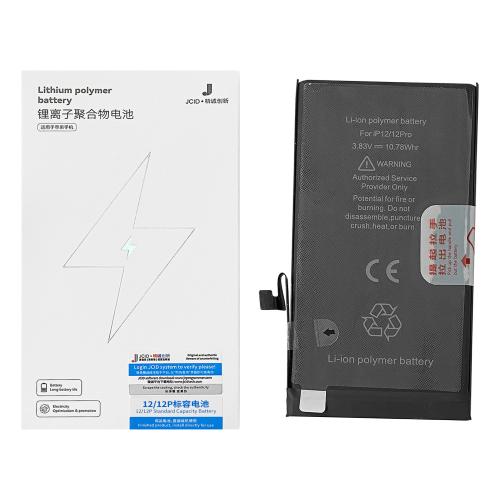
Capacity: 2815mAh Voltage: 3.83V Charging Cycles: 0 APN: Universal Compatible with Apple iPhone 12 A2172 A2402 A2403 A2404 (2020) Features **No Unknown Parts Warning • No Diagnostic Required • Original SN Matching • JCID App Support • Super Capacity • Lithium Polymer • High Quality • Long Endurance • Adhesive Included • Deformation Resistant**
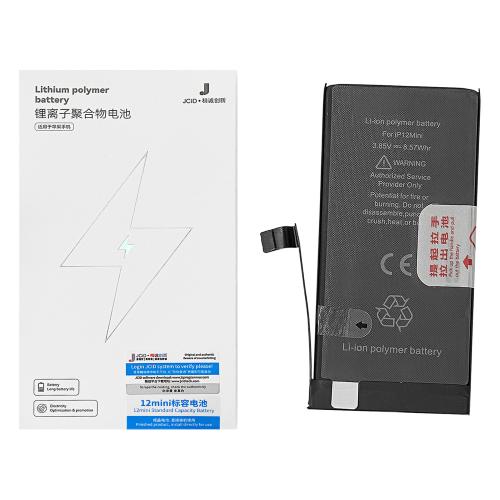
Capacity: 2227mAh Voltage: 3.85V Charging Cycles: 0 APN: Universal Compatible with Apple iPhone 12 Mini A2399 A2176 A2398 A2400 (2020) Features No Unknown Parts Warning • No Diagnostic Required • Original SN Matching • JCID App Support • Super Capacity • Lithium Polymer • High Quality • Long Endurance • Adhesive Included • Deformation Resistant
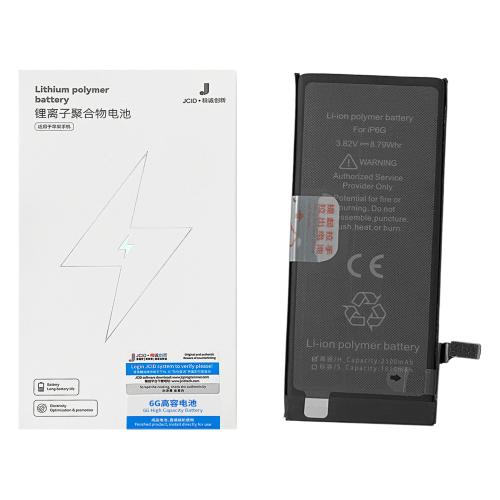
**BATTERY iPhone 6 (JCID) SUPER CAPACITY** Capacity: 2300mAh Voltage: 3.82V Charging Cycles: 0 APN: Universal Compatible with Apple iPhone 6 A1549 A1586 A1589 (2014)
Installation
Install the battery and connect it to the motherboard. Connect the device to Wi-Fi, then go to **Settings → General → Parts & Service History** and tap **”Reboot and Finish Repair”**. Restart the device after setup. Battery Health will display **100%**.
Compatible with Apple iPhone 6 Plus A1522 A1524 A1593 (2014)
Installation
Install the battery and connect it to the motherboard. Connect the device to Wi-Fi, then go to Settings → General → Parts & Service History and tap “Reboot and Finish Repair”. Restart the device after setup. Battery Health will display 100%.
Compatible with Apple
iPhone 6S A1633 A1688 A1700 (2015)
Installation
Install the battery and connect it to the motherboard. Connect the device to Wi-Fi, then go to Settings → General → Parts & Service History and tap “Reboot and Finish Repair”. Restart the device after setup. Battery Health will display 100%.
Compatible with Apple
iPhone 7 A1660 A1778 A1779 (2016)
Installation
Install the battery and connect it to the motherboard. Connect the device to Wi-Fi, then go to Settings → General → Parts & Service History and tap “Reboot and Finish Repair”. Restart the device after setup. Battery Health will display 100%.
Compatible with Apple
iPhone 7 Plus A1661 A1784 A1785 (2016)
Installation
Install the battery and connect it to the motherboard. Connect the device to Wi-Fi, then go to Settings → General → Parts & Service History and tap “Reboot and Finish Repair”. Restart the device after setup. Battery Health will display 100%.
Compatible with Apple
iPhone 8 A1863 A1905 A1906 (2017)
Installation
Install the battery and connect it to the motherboard. Connect the device to Wi-Fi, then go to Settings → General → Parts & Service History and tap “Reboot and Finish Repair”. Restart the device after setup. Battery Health will display 100%.
Compatible with Apple
iPhone 8 Plus A1864 A1897 A1898 (2017)
Installation
Install the battery and connect it to the motherboard. Connect the device to Wi-Fi, then go to Settings → General → Parts & Service History and tap “Reboot and Finish Repair”. Restart the device after setup. Battery Health will display 100%.